

CRM Dashboard Design for
Enhanced Customer Support
Product Overview
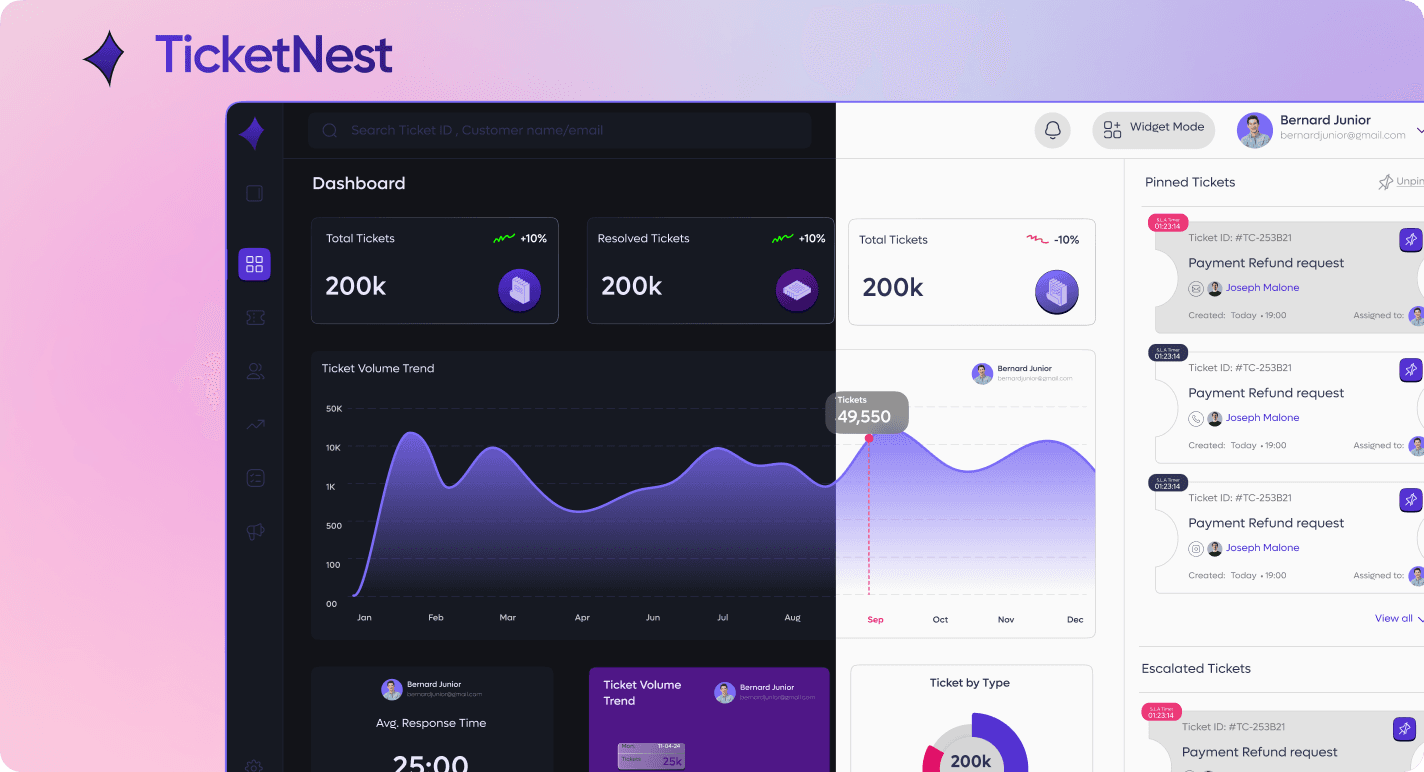
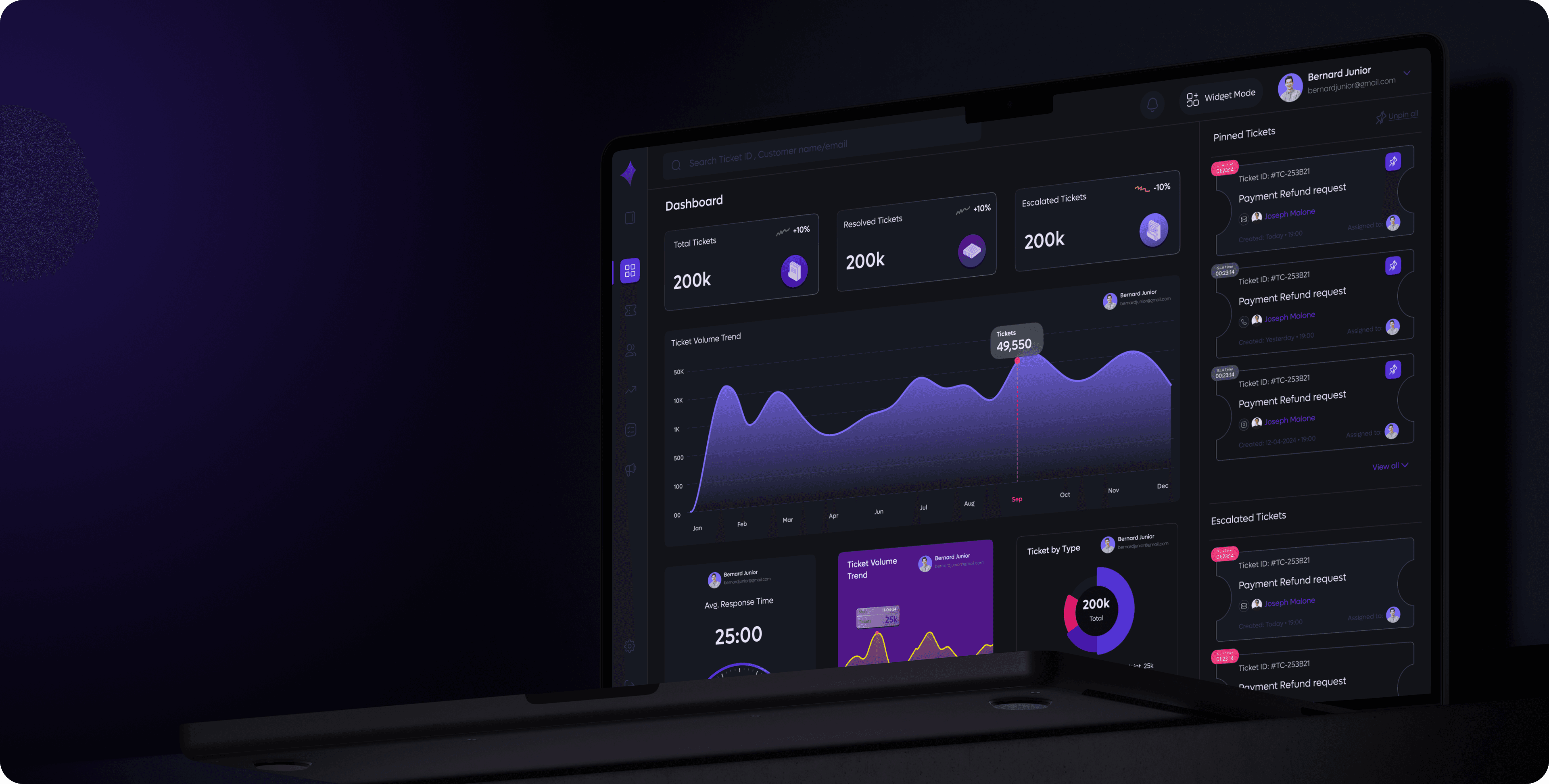
TicketNest TicketNest is a customer relationship management (CRM) platform that focuses on optimizing ticket handling processes, enhancing team performance tracking, and improving overall customer experience. It provides tools for real-time ticket updates, SLA compliance monitoring, and customizable analytics tailored to the needs of support teams.


The Challenge
Complex and Cluttered Dashboards
Many CRM systems overwhelm users with excessive features and scattered information.
Poor Visibility on Customer History
Some CRMs don't provide a comprehensive view of past interactions, making support inconsistent.
Slow Ticket Resolution Due To Poor Prioritization
Some CRMs don't effectively highlight urgent tickets, leading to delayed responses.
Limited Flexibility and Visibility
Many CRMs restrict agent customization and offer insufficient tools for admins to track team performance.
Design Approach
DESIGN APPROACH
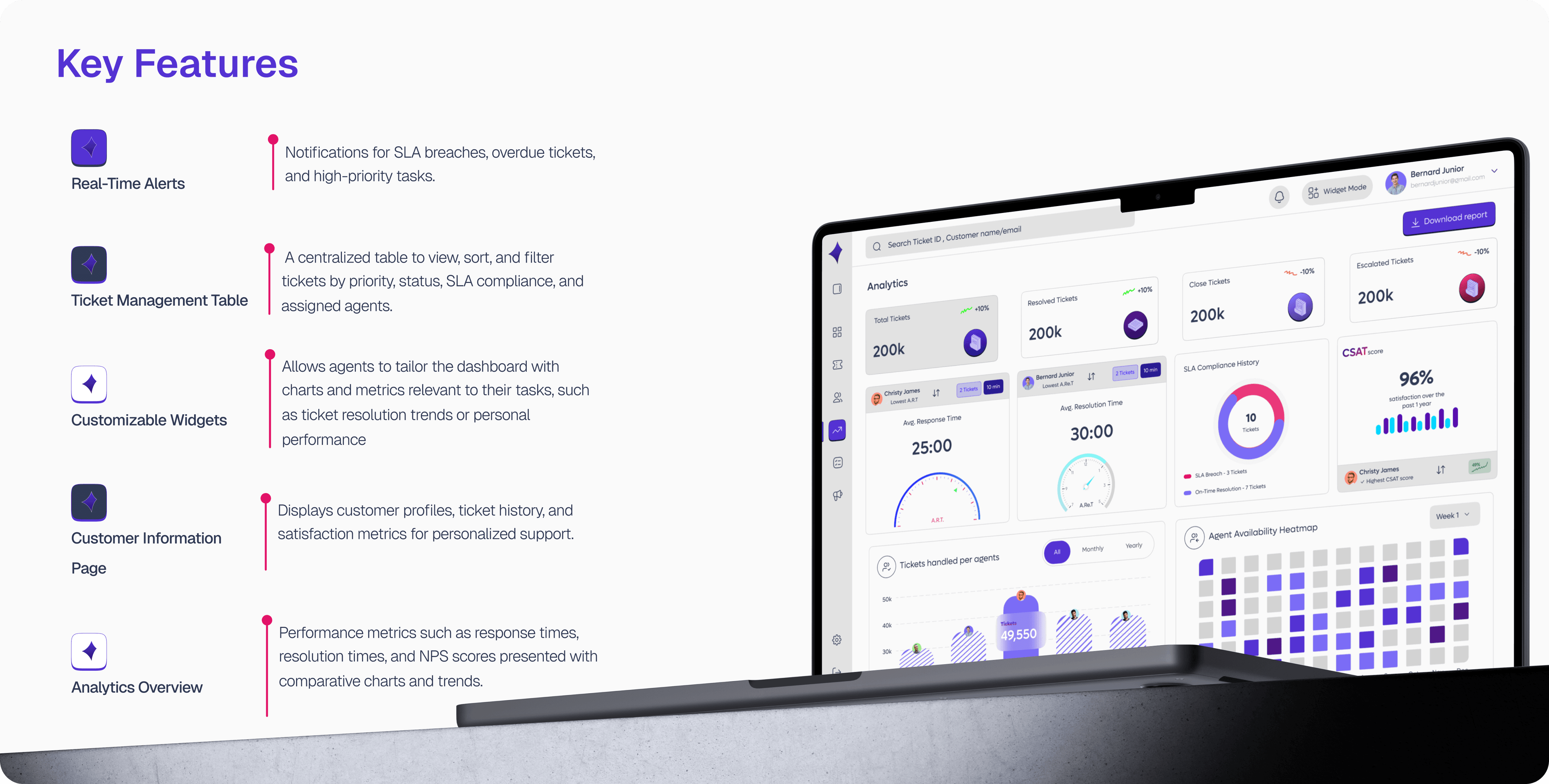
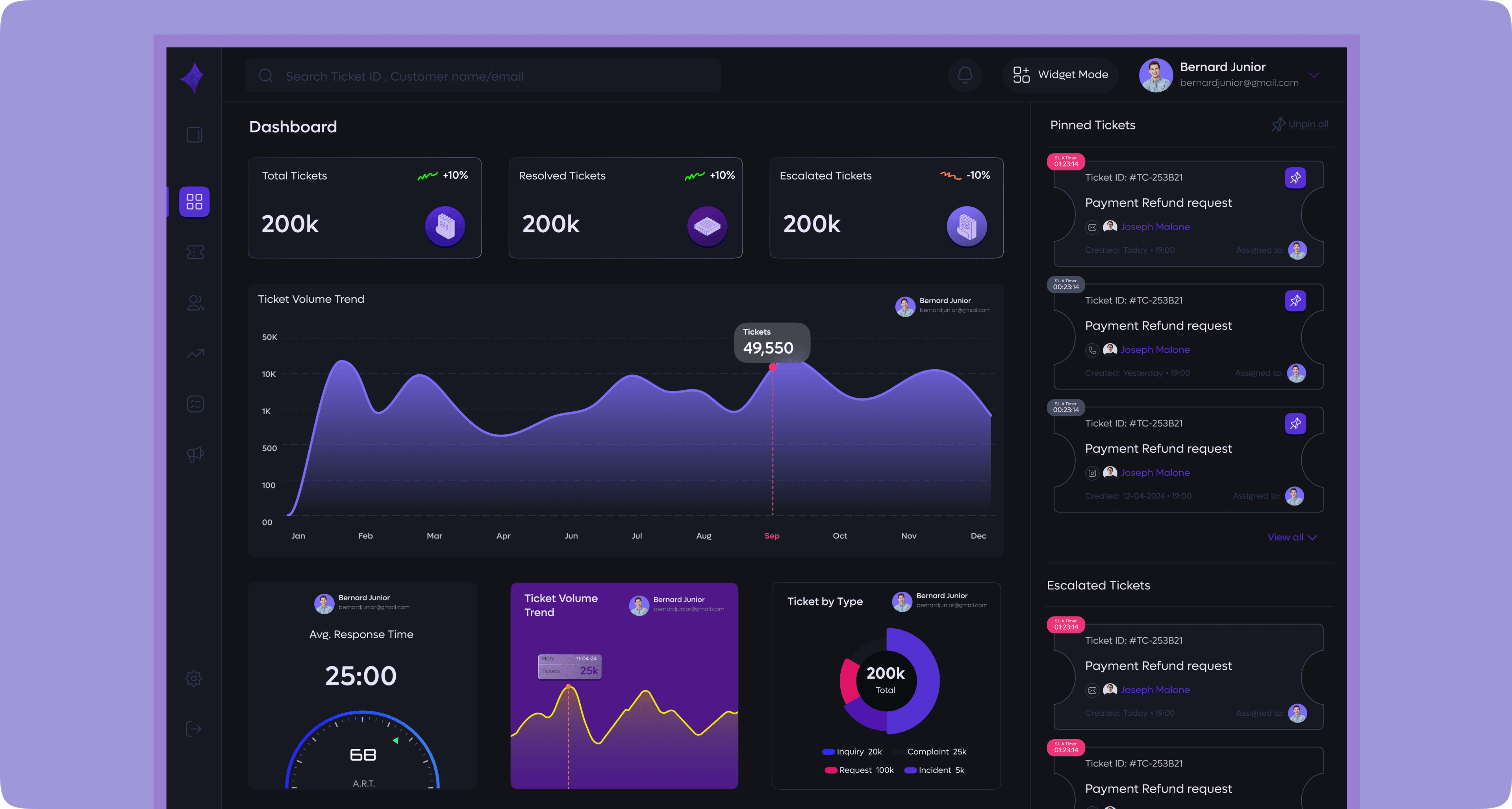
The design approach focused on creating a more efficient and intuitive workflow for both agents and managers, centered around faster ticket resolution and clearer operational visibility. Real time alerts were introduced to keep teams aware of SLA risks and overdue tasks as they happen, while a streamlined ticket management table supports quick filtering and prioritization. Flexible, customizable widgets give agents control over their workspace, allowing them to arrange the metrics and charts that matter most through simple drag and drop actions. The customer information page consolidates profiles, ticket history, and satisfaction data to provide immediate context during support interactions. Complementing this, the analytics overview presents key performance indicators with clear comparative charts and trends. Collectively, these design decisions create a unified system that reduces friction, improves decision making, and empowers teams to resolve tickets more effectively.
Final Designs
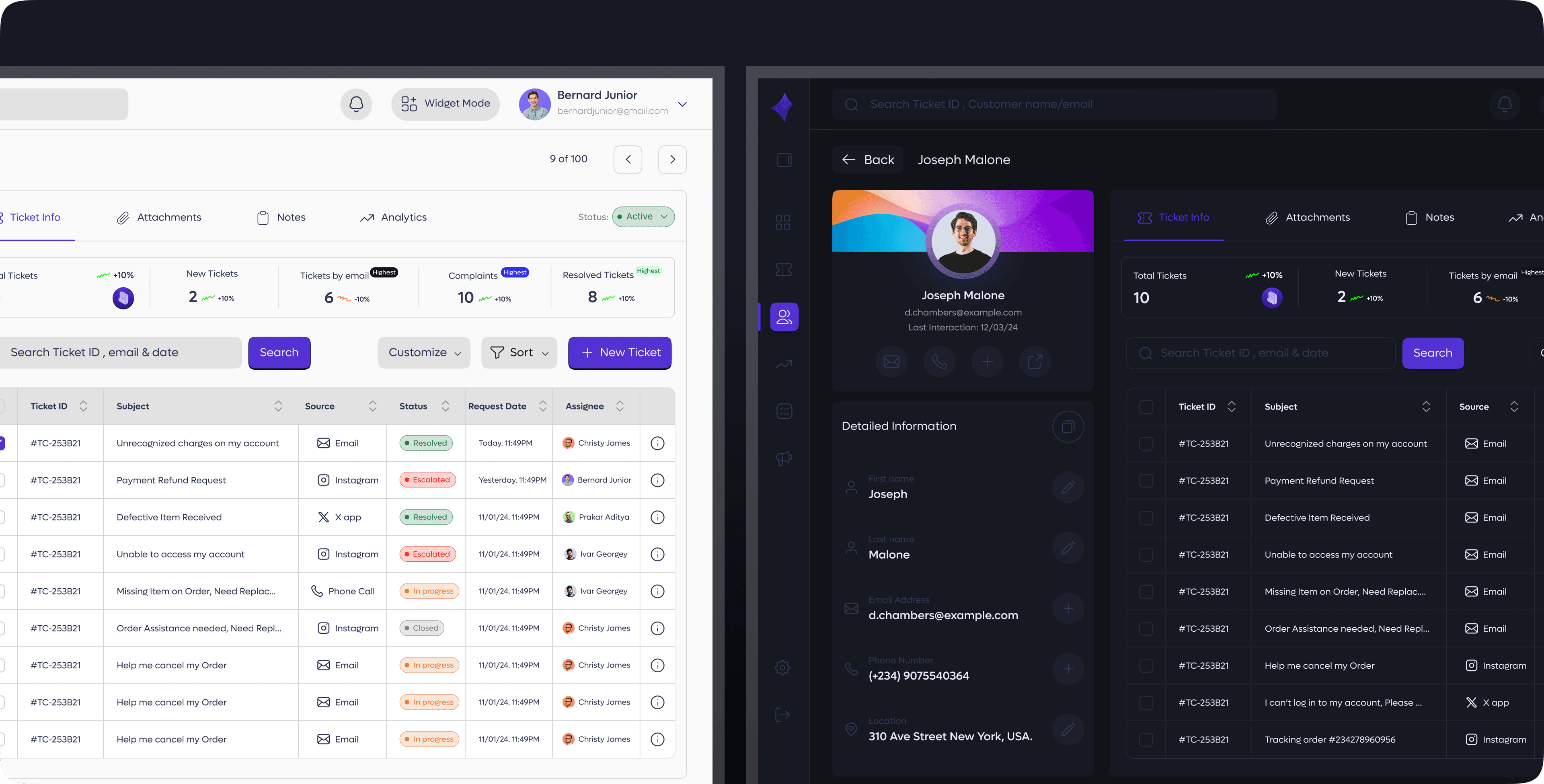
Ticket Management Table
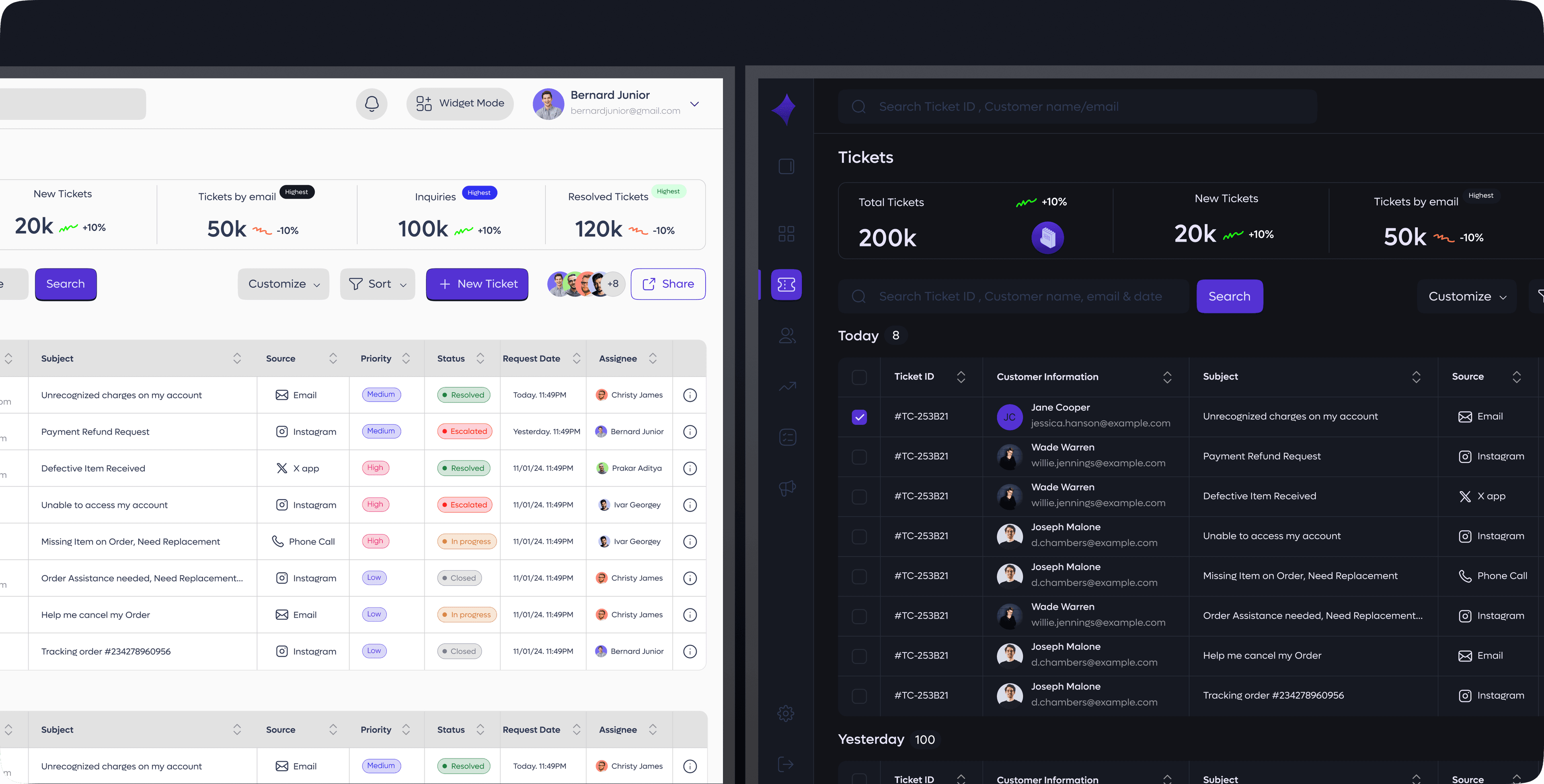
A unified, interactive table that displays all customer tickets in one place. Users can easily sort and filter records by priority, status, SLA timelines, assigned agents, and creation dates. The table supports quick scanning, bulk actions, and inline updates, allowing teams to manage workloads efficiently, identify overdue or at-risk tickets, and maintain smooth operational flow. This centralized view ensures agents and managers have complete visibility into ticket health, helping them respond faster and keep service levels consistently high.
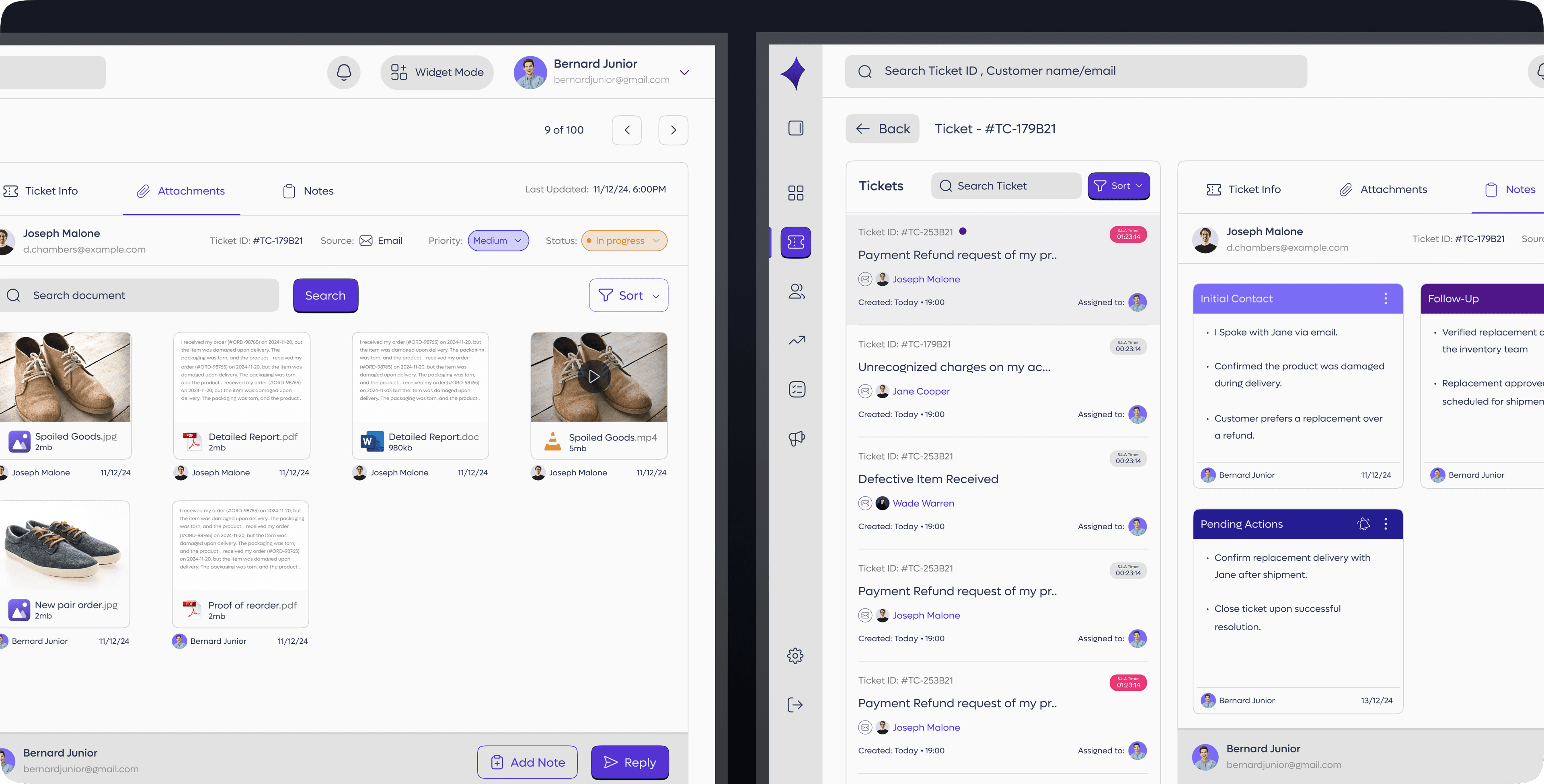
Ticket Information
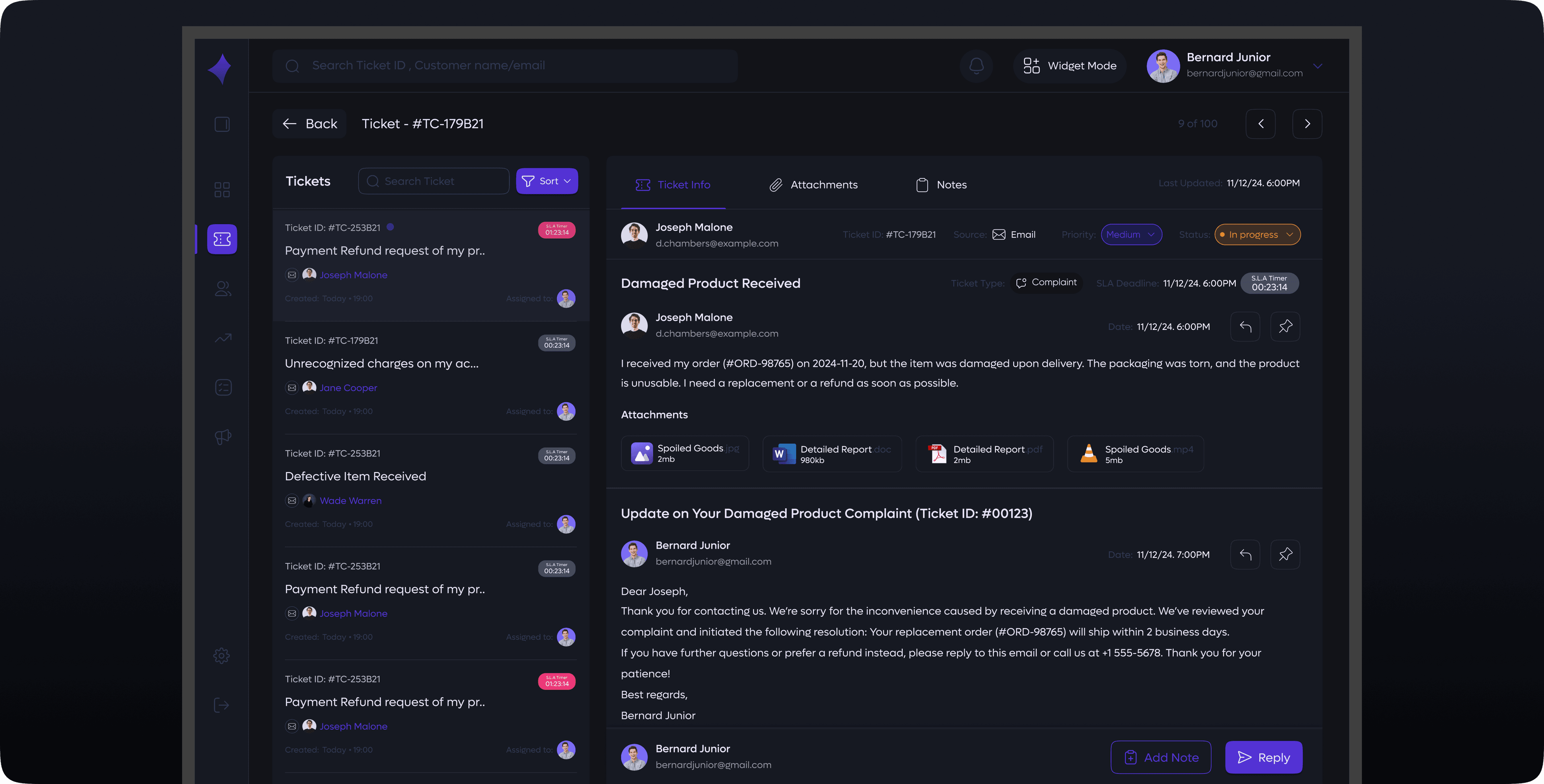
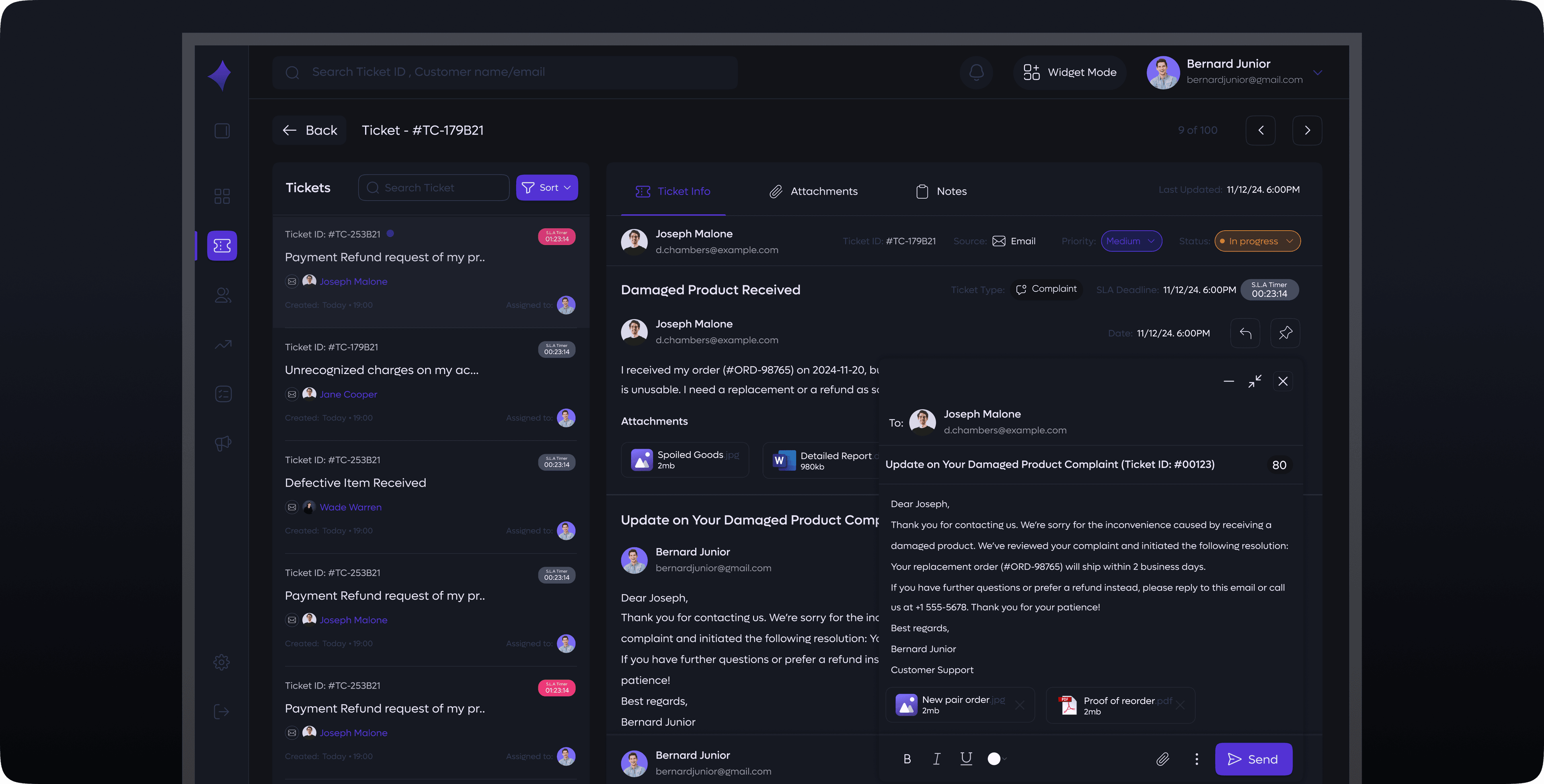
A dedicated view that opens into the full details of any selected ticket. This section provides complete visibility into the ticket's lifecycle, including all customer communications, internal notes, and attached files. Agents can review every message exchanged, track previous actions, and understand the context behind the issue without switching screens. The space also supports sending emails directly from the ticket, allowing agents to respond, request clarification, or share updates seamlessly. With all interactions, attachments, and notes consolidated in one place, teams can work faster, stay organized, and maintain clear communication throughout the resolution process.
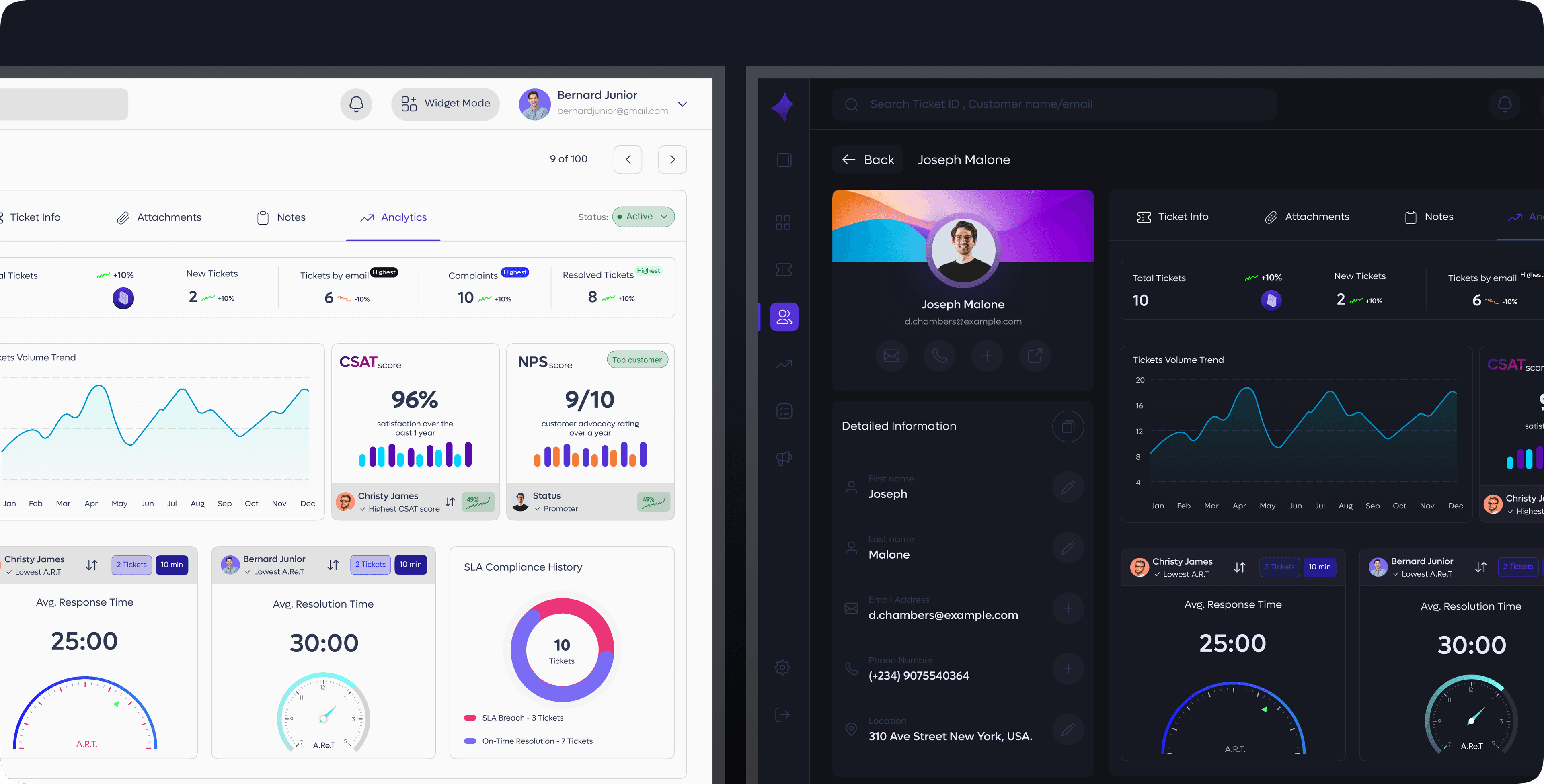
Customer Information Page
A focused profile view showing customer details, ticket history, and key activity metrics. It highlights ticket volume, trends, current statuses, and assigned agents. The page also displays the top-performing agent based on CSAT and NPS scores, with an option to filter and view all agents who handled the customer's tickets—along with their individual CSAT scores, NPS scores, average response times, and average resolution times. This gives teams a quick, clear understanding of service quality delivered to the customer.
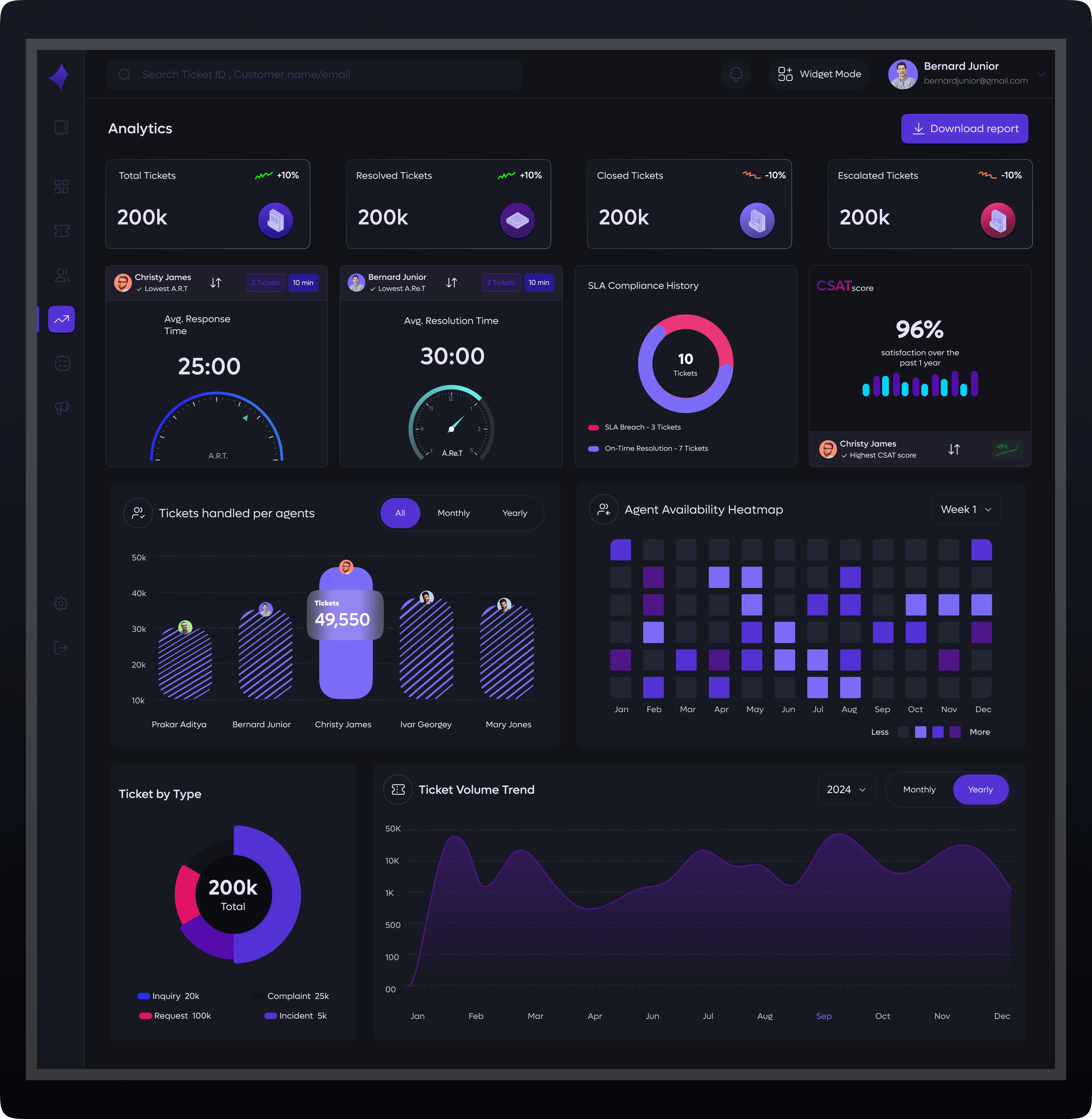
Analytics Overview
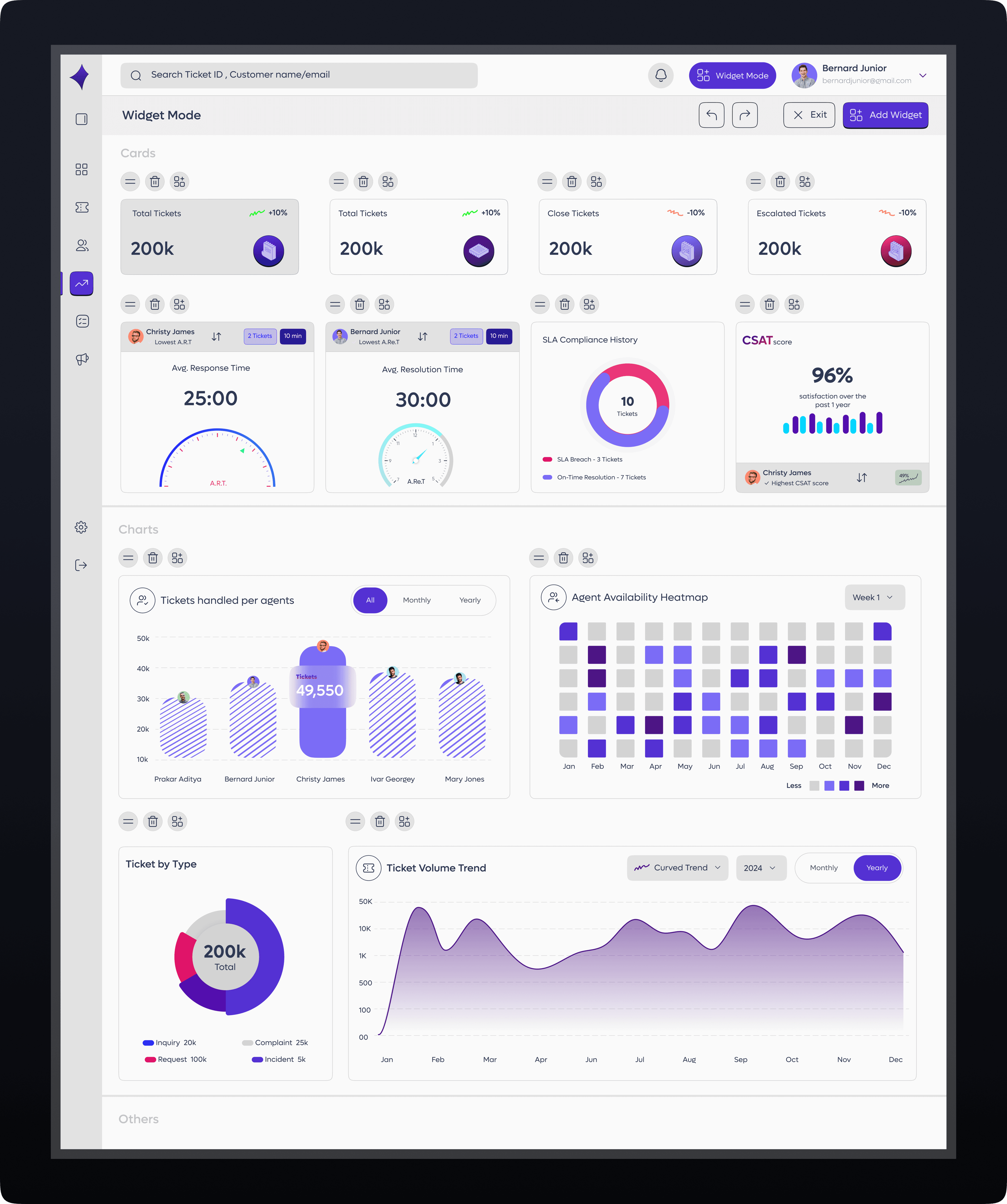
A centralized view of key performance metrics including response time, resolution time, CSAT, and NPS, presented with clear charts and trend lines. It helps teams track performance over time and compare results across agents, teams, or customer segments for deeper insight and better decision making.
Customizable Widgets
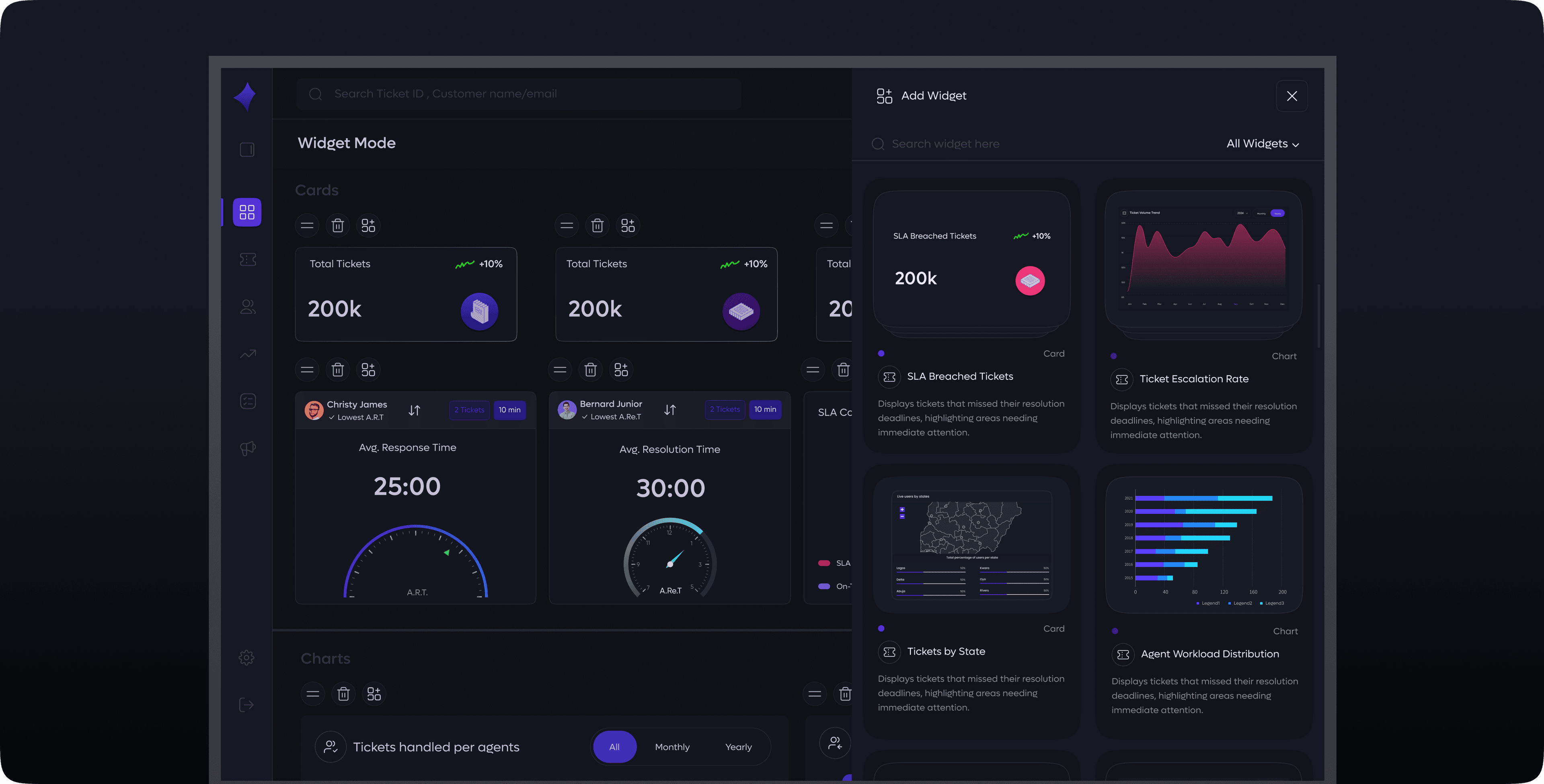
Agents personalize their dashboard with the charts and metrics that matter most to their work. They can add widgets for ticket resolution trends, personal performance, team comparisons, SLA tracking, customer satisfaction scores, workload distribution, and more. Everything can be arranged easily using a simple drag and drop feature, allowing each agent to build a layout that fits their workflow.
Tasks
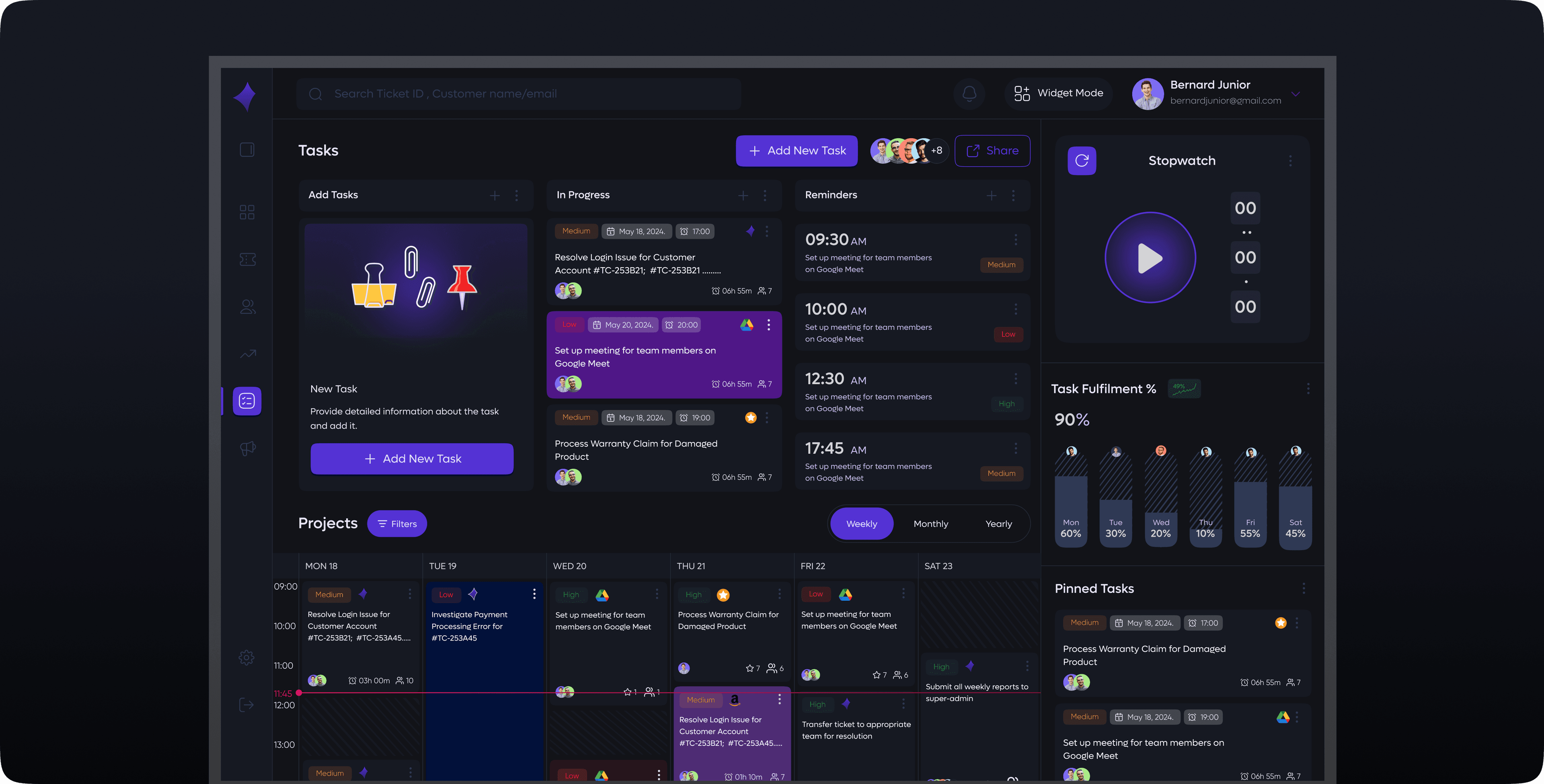
A centralized space to manage and track all ongoing work. Users can mark tasks as in progress, pin important items for quick access, and organize projects using a calendar view. This setup makes it easy to prioritize work, monitor deadlines, and maintain an overview of project timelines in one place.